
One platform. Every surface your home needs.
A facility portal for your team, a kiosk at the unit for agency staff, an agency portal for your vendors and companion mobile apps. Every tenant sees only its own data; every record is archived, never deleted.
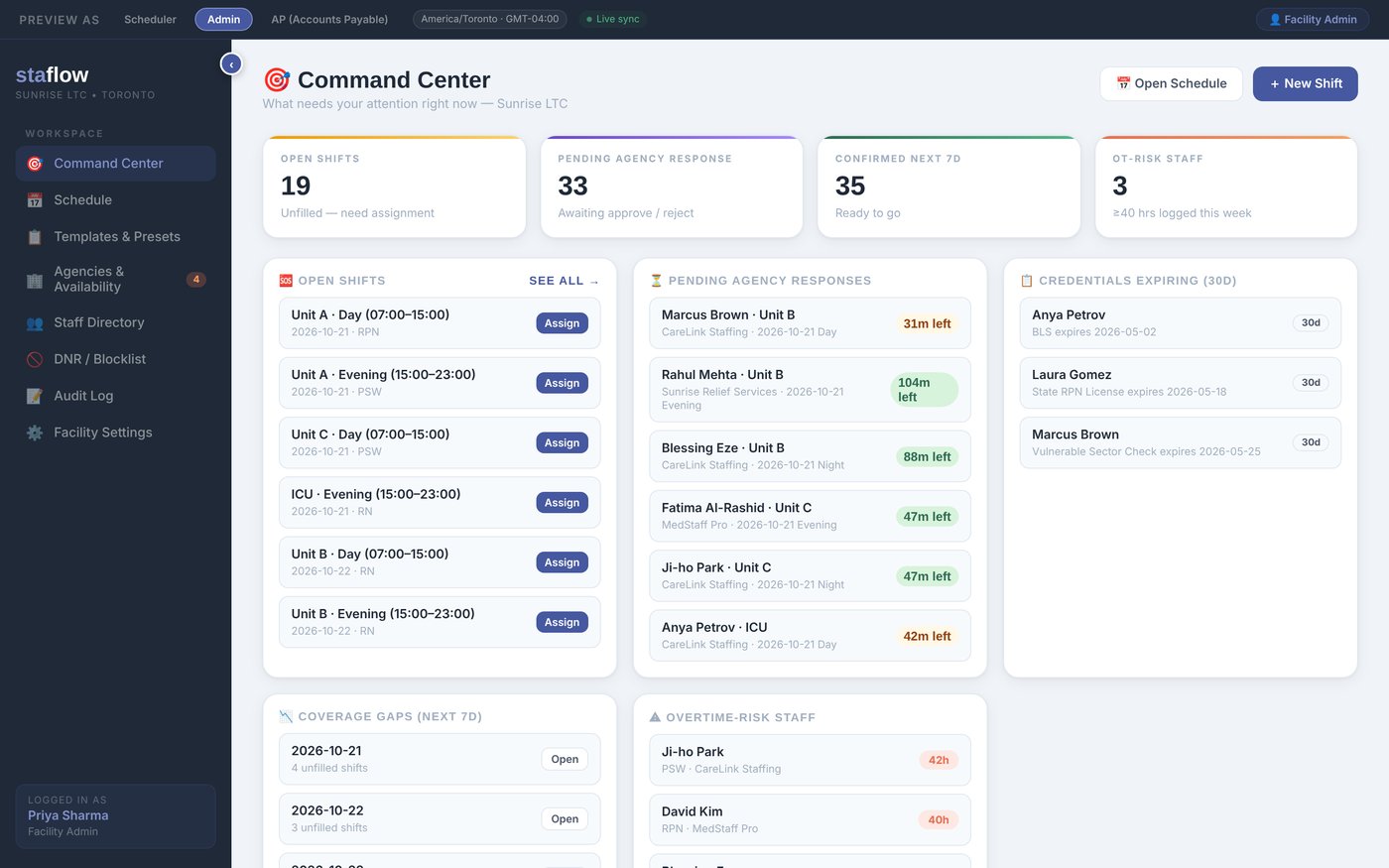
Facility portal
The home's console
Coverage, scheduling, staffing requests, directories, rate cards, kiosk configuration and invoice review, in one place, for the Facility Admin and the scheduler.
- Command Center. Staff on shift now, open and filled shifts, pending agency responses, coverage gaps for the next seven days, overtime risk and expiring credentials.
- Schedule. Day, week and month views with a status chip on every shift. Request staff by date, time, role, unit and the agencies to notify.
- Agency directory. Attach an agency and set an hourly, overtime and statutory holiday rate for every role before the attachment saves.
- Staff directory. Approve each agency worker before they appear on your kiosk roster.
- Invoices. Review each draft shift by shift against the kiosk record. Approve, with an optional PO number, or return it with a note.
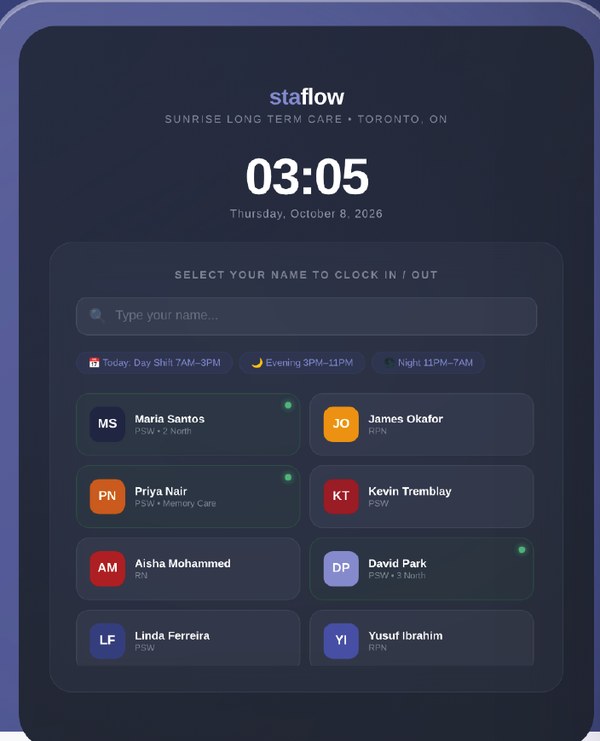
Staff kiosk
The timesheet is gone. The kiosk is the record.
A tablet mounted at the unit or the main entrance, running only the Staflow kiosk. Agency staff select their name, choose the unit and enter a six digit PIN. No accounts, no paper, no end of shift signature.
- Every clock event stores the staff member, agency, unit, direction and the time to the whole minute.
- Staff currently on shift show live on the roster and on the facility dashboard.
- Wrong PINs are limited; after the configured number of attempts the kiosk locks that entry and returns to the roster.
- Grace periods, shift windows, units and timeouts are configured from the facility portal. The tablet itself needs no administration.
- Missed clock outs are closed by the system and corrected by the home, with a reason, on an append only audit history.
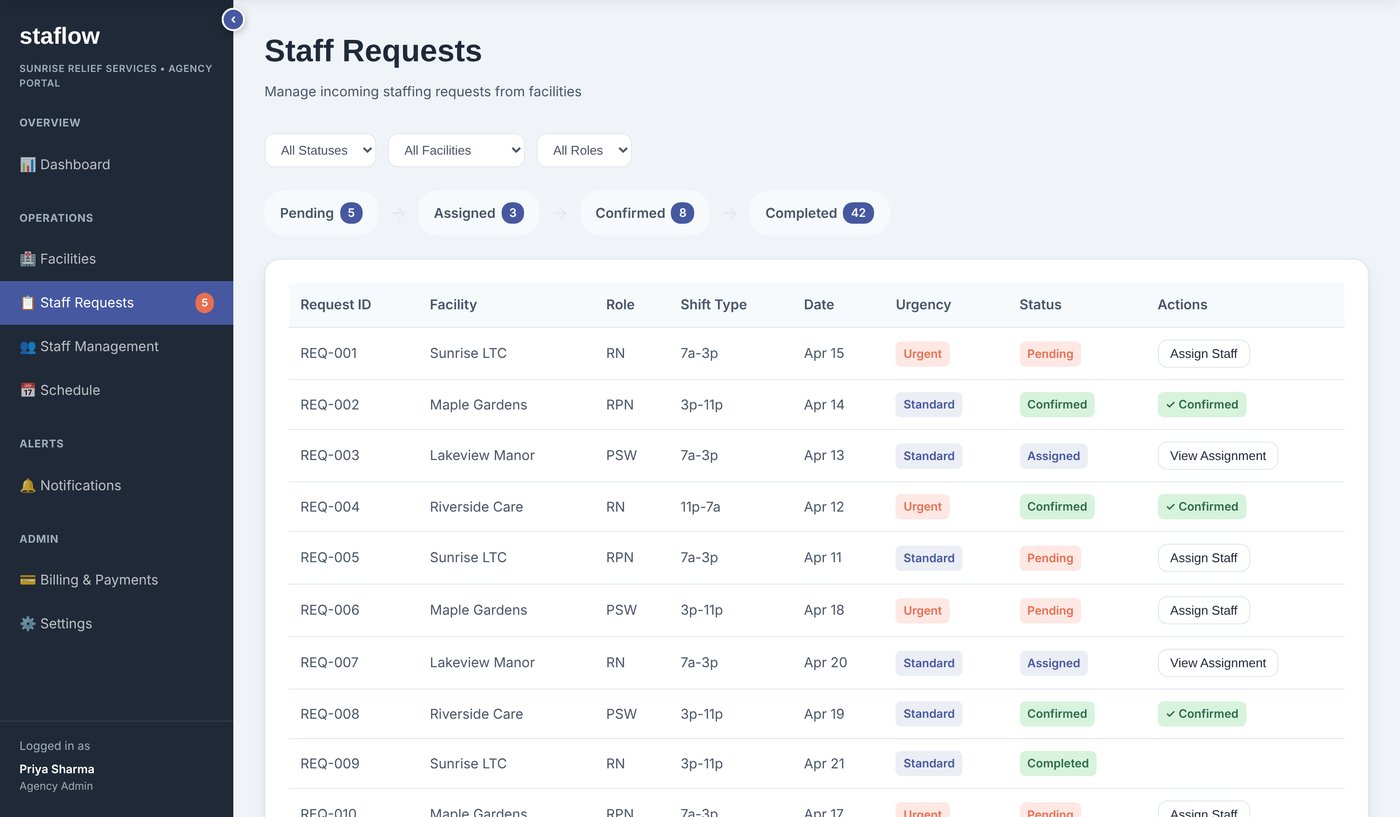
Agency portal
Your vendors' console
Each agency runs its roster, receives your requests, schedules staff across every home it serves and bills from the approved hours. It sees its own staff and invoices and nothing else.
- Staff requests. An inbox of requests from client homes. Accept one, assign a rostered worker, and the shift appears on both schedules.
- Schedule. A week grid of the agency's staff across all client facilities, with a facility selector and status legend.
- Staff management. Roster with roles, onboarding status per home and kiosk PINs managed on the staff record.
- Billing and invoices. One draft per staff member, per facility, per billing period, with that person's shifts and kiosk times already on it.
Facility app
Coverage and open shifts for the home, on a phone.
Agency app
New requests and assignments at a glance.
Staff app
Upcoming shifts for the worker, with the option to accept offered shifts.
Same rules
Same tenant isolation and role based access as the web portals.
Mobile companion apps
The essentials, on a phone
Companion apps for facility, agency and staff users give a read only view of what matters on the move, and let agency staff accept the shifts offered to them. The kiosk remains the only place a shift is clocked.
Under the hood
Simple to use. Strict about data.
No passwords
Users sign in with their email address and a one time passcode. Kiosk users do not sign in at all; their identity at the kiosk is their PIN.
One tenant, one view
Every facility and every agency is a separate tenant. Users belong to exactly one and see only its data. Facility and agency roles are separate lists.
Archived, never deleted
Records are archived rather than removed. Corrections keep the original value and carry a mandatory reason on an append only audit trail.
Permissions per menu
Each role is a matrix of view, create, edit and archive rights per menu, administered centrally, so a clerk and an admin see the same screens with different powers.
Minutes, never rounded
Pay time is computed from the kiosk record and the home's own rules: grace period, overtime gap, guaranteed hours and statutory holiday policy.
Canadian hosting
Google Cloud, Toronto region. Encrypted in transit and at rest, daily backups, environment isolation between homes. No resident or patient data is stored.